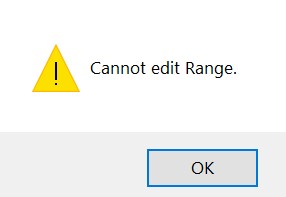
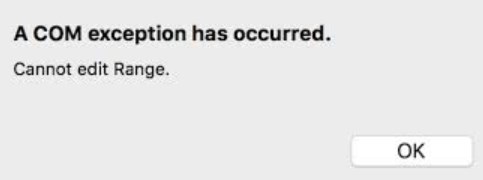
| Content | If you receive the message "Cannot Edit Range" when you attempt to use the EndNote™ tools in Word, it is likely due to the installation of the Mendeley plug-in in Word.
Windows:
macOS:
You can remove the Mendeley plug-in by following these steps:
- Quit Word and Outlook.
- Open Mendeley Desktop.
- Click the "Tools" menu and select "Uninstall MS Word Plugin."
- When you receive the message "The Word Plugin has been uninstalled," click OK.
You can now open Word again and work with the EndNote tools.
If you have uninstalled the Mendeley Desktop software on Windows, you can manually remove the Word Plug-in.
- Quit Word and Outlook.
- Click the Start button and select Run or click in the option to "Search for files or folders.
- Type the following and click Enter.
%appdata% - Browse to the "Microsoft\Word\STARTUP" folder.
- Delete the Mendeley file from this folder.
macOS:
- Quit Word and Outlook.
- Click on the Go menu of your Finder and then press the "Option" key on your keyboard. Library should then appear as an option in the Go menu. Click this.
- Browse to the following folder "Group Containers : UBF8T346G9.Office : User Content : Startup : Word."
- Delete the Mendeley file from this folder.
You can now open Word again and work with the EndNote tools.
If you are getting the above errors and do not have Mendeley installed then please see the following
. |
|
|---|